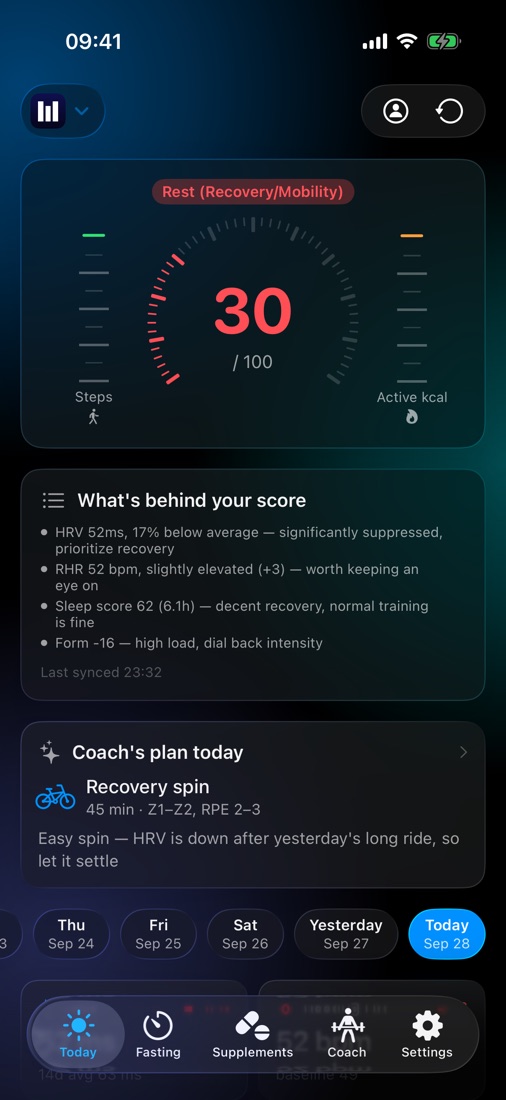
The readiness score
A score you can check the math on.
It starts at 60 and moves with each signal, compared with your own 14-day baseline. These are the exact rules maame runs on your iPhone — no AI, no internet. Move the sliders.
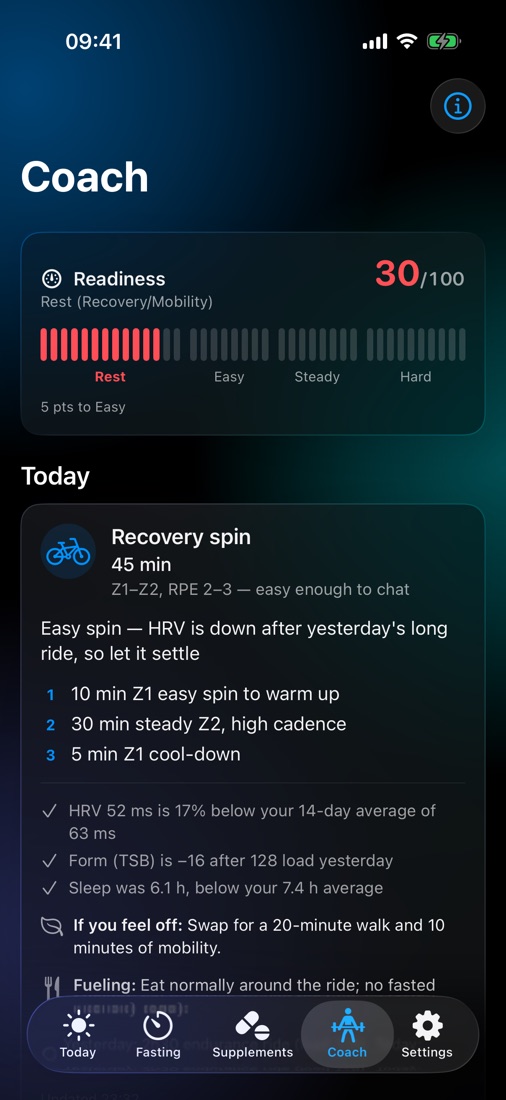
AI coach
A plan for today, written from your numbers.
Every morning the coach reads your last week of wellness and training and writes one session: the sport, duration, intensity in zones and RPE, and the steps. It tells you why, what to do if you feel off, and how to fuel around it.
- Updates itself when new data syncs — no stale plans
- A weekly review of load vs recovery, red flags and next week's focus
- Built around your readiness band — rest, easy, steady or hard
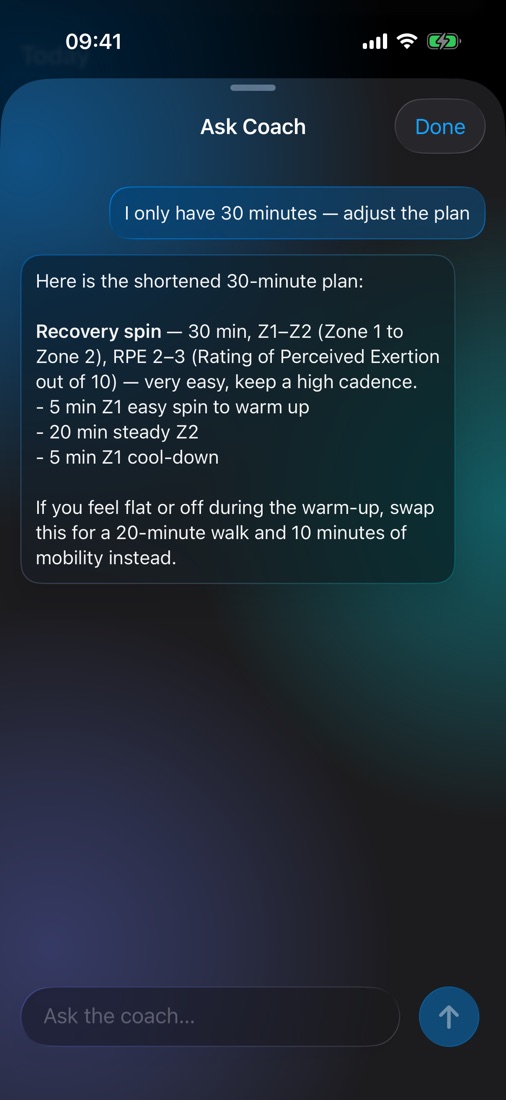
Ask Coach
Only have 30 minutes? Just say so.
Ask about today's plan, your recovery, or anything at all. The coach already has your data and today's session, so there's nothing to explain — and nothing is saved once you close the chat.
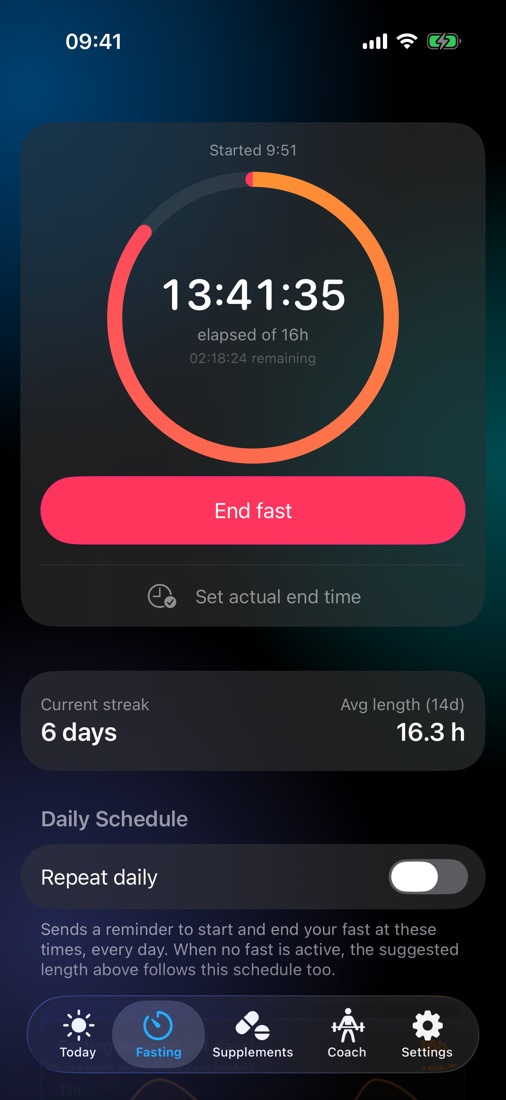
Fasting
Fasting that fits around training.
Start a 13 to 24-hour fast in a tap and watch the ring fill. The coach sees your recent fasts, so it won't schedule intervals on an empty tank.
- A streak that counts any fast reaching 75% of its goal
- Daily schedule with start and end reminders
- 14-day average length and trend
Supplements
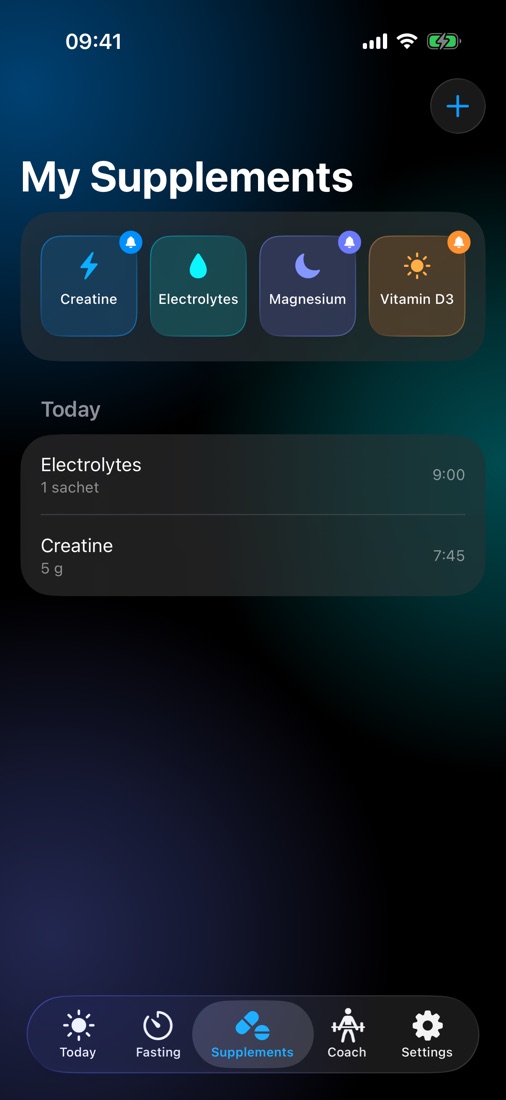
Logged in a tap. Reminded on your schedule.
Set reminders every day, on chosen weekdays, or every few days, and tap Log it right on the notification. Today's doses go to the coach too — handy for timing caffeine or electrolytes around a session.
Also inside
Built for athletes who already track everything.
Apple Health first
Resting heart rate, overnight HRV, sleep, steps, workouts and body measurements — read only, never written back.
intervals.icu, if you use it
Adds CTL, ATL and TSB, TSS and power data, sleep score and your wellness ratings.
One HRV source, on purpose
Apple Watch reports SDNN; Garmin, Oura and Whoop report RMSSD. maame keeps them apart so your baseline stays honest.
Body composition
BMI, FFMI, SMI and FMI from your weight, height, body fat and muscle — with what each range means.
14-day trends
HRV, resting heart rate and Form over two weeks, plus any of the last seven days at a glance.
Every number explained
The in-app Help spells out each abbreviation and formula, down to the points each signal is worth.
Privacy
Your data stays yours.
maame has no servers holding your health data, no ads and no tracking. You decide what, if anything, leaves your iPhone.
On your iPhone and in your iCloud
Everything syncs through your own private iCloud database. We can't see it.
On-device AI, if you prefer
The Apple Intelligence coach runs entirely on your iPhone and works offline.
Gemini only with your permission
Nothing goes to Google until you allow it, and Google doesn't use it to train its models. Turn it off any time.
Erase everything in one tap
Settings → Erase all data removes it from your iPhone and your iCloud.
Questions
Before you download
Do I need an Apple Watch?
For HRV and resting heart rate, yes — or a Garmin, Oura or Whoop connected through intervals.icu. maame uses HRV measured while you sleep, so wear your watch overnight.
Do I need intervals.icu?
No. Apple Health is the main source. Connect intervals.icu if you want training load (CTL, ATL, TSB), TSS and power data, which make the score and the coach sharper.
Which iPhones does it run on?
maame needs iOS 26 or later. The Gemini coach works on any of those iPhones with an internet connection; the Apple Intelligence coach needs an iPhone that supports Apple Intelligence.
Is my data used to train AI?
No. With Gemini, Google processes your data only to write the reply and doesn't use it to train its models. With Apple Intelligence, nothing leaves your iPhone.
Does it work offline?
The readiness score, fasting timer and supplement log work offline. The coach works offline too if you use Apple Intelligence.
Is this medical advice?
No. maame gives general training guidance. Listen to your body, and talk to a doctor before starting a new program or if you feel unwell.